Features
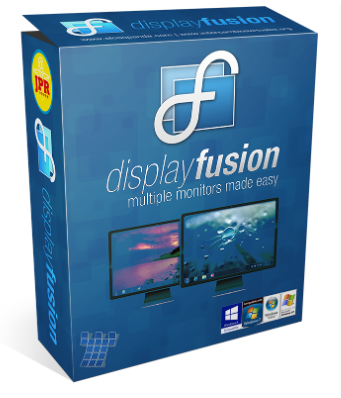
Monitor Splitting (works with Surround and Eyefinity!)
Split your monitors into multiple virtual monitors so that you can have separate Taskbars, Wallpapers, Window Location rules, Functions, and Screen Savers for each split. Applications will maximize to the size of each split, and Functions like “Move to Next Monitor” will treat each split as a separate monitor.
Monitor Configuration and Profiles
Use DisplayFusion to set your Monitor Configuration. Configure the resolution, colour depth, refresh rate and orientation. You can even save your configurations as Monitor Profiles that you can load later using a key combination or TitleBar Button. Link a Wallpaper Profile with your Monitor Profile to load your desktop wallpaper automatically based on the monitors you have connected.
Multi-Monitor Wallpaper
Customize your desktop with Multi-Monitor Wallpapers from WallpaperFusion, Flickr, InterfaceLIFT, Vladstudio and more. Tile, stretch, scale, crop, position and tint your images exactly how you want.
Multi-Monitor Taskbar
Keep your windows easily organized by adding a taskbar to each of your monitors. The taskbar on each monitor can be configured to show all windows, or only the windows that are located on that monitor. Use button grouping, auto-hide, window previews, shortcuts (pinned applications) and much more to help you work more easily with your application windows. Each taskbar can have its own custom set of shortcuts. Taskbar elements on the DisplayFusion Taskbars can also be customized to your liking, including the position of the Start button, Taskbar buttons, and clock/system tray.
Customizable Functions and TitleBar Buttons
DisplayFusion comes bundled with over 30 pre-configured Functions, or you can create your own powerful custom Functions. Create Functions to load Wallpaper or Monitor Profiles, move windows around, change window opacity, toggle DisplayFusion features and much more. Any Function, including custom Functions that you’ve created, can be assigned to a TitleBar Button for easier access with the mouse, or to a keyboard shortcut for keyboard power users. Functions can also be assigned to the Jump List menus on the DisplayFusion Multi-Monitor Taskbars, allowing them to be run even on applications that are minimized.



 Pick up from the Woodmart Store
 Courier delivery
 DHL Courier delivery
 Warranty 1 year
 Free 30-Day returns


Reviews
Clear filtersThere are no reviews yet.